

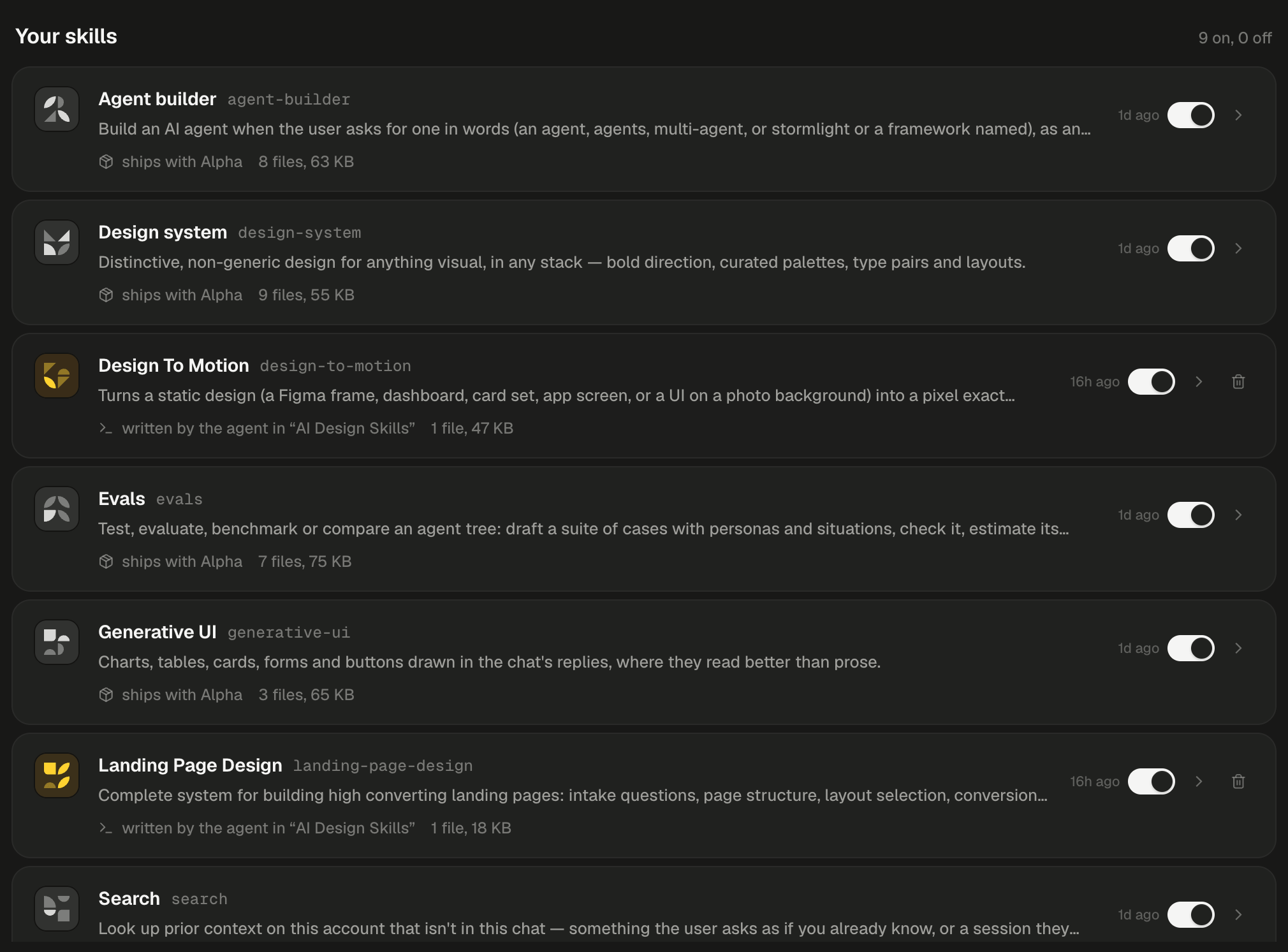
Built-in skills read “ships with Alpha” and have no trash icon; skills the agent wrote have one.
How do built-in skills work?
You don’t need to name a skill. The agent reads each skill’s description and picks it up when your request matches it, whether that comes in the first message or halfway through a session. A skill is instructions plus reference files that the agent reads when it needs them.
A built-in skill can’t be edited or removed from the page. Its SKILL.md opens read-only, with “Read-only here: the frontmatter name and description are what the agent reads.”
Which skill does what?
Get a distinctive design
Design system loads before the agent writes any UI: a website, an app screen, a dashboard, an email, a game, in any stack from plain HTML to Next.js, Streamlit or SwiftUI. It steers away from generic defaults such as Inter, purple gradients and centred cards, and draws on 26 palettes, 15 type pairings and 15 layouts. It stays out of command-line tools, APIs and presentations, which Slides covers. What the agent does depends on your brief:
Alpha will:
- Ask the three visual questions in a question card. Each palette option lists its four colours.
- Build the page with your picks, tuned rather than copied from the preset.
- Check it in the machine’s browser at 1600×900, 1280×800 and 390×844 before calling it done.
- Write the chosen direction to
styleguide.mdat the project root, and read it first on later turns so new pages match.
styleguide.md along with the pages.
Build decks, agents, evals and voice apps
Four built-in skills each own a surface of their own, documented on its page. These are the behaviours worth knowing before you ask.
Generative UI is different: it shapes the agent’s replies, not your project. Switching it off returns replies to plain Markdown. Answers you can interact with shows every block it draws.
Pick up context from another session
Each session sees only its own messages. Search lets the agent look through the other sessions on your account when you ask as if it already knows. It quotes what it finds and cites each session as a link, so you can open the source. Alpha will:- Search your other sessions for the distinctive words in your question, and try once more with other words if nothing matches.
- Read the messages around the best match.
- Answer with a link to the session the decision came from, and say so plainly if it finds nothing rather than guess.
@session: and a word in the composer, then pick the session. It goes in as a badge with the session’s title and reaches the agent as @/s/ plus the session’s code. The agent reads that session’s latest messages to continue from it.
Switch a built-in skill off
Switching a built-in skill off takes it out of your sessions only. It stays on the page, and you can switch it back on at any time.1
Open the Installed tab
Click Skills in the sidebar, then Installed.
2
Turn off its switch
Use the switch on the skill’s row. The tooltip reads “On — in your sessions. Switch off to take it out of yours; other accounts keep theirs.” In the skill’s dialog the same switch is Installed in your sessions.
3
Send your next message
Each session drops the skill from its next message on.
Admins only Ships with Alpha in a skill’s dialog decides whether it is in every account’s sessions. Off moves it to the catalog. If one of the seven is missing from your Installed tab, an admin has done this: find it on the Explore tab and click Install.
Next steps
Skills
Add your own skills, or install the catalog’s PDF, Figma and CI skills.
Build an AI agent
The prompts that start Agent builder, and how its proof works.
Slides, drawings and diagrams
Review a deck, fix a slide by pointing at it, and export it.
Prompt Alpha well
Word a request so the right skill picks it up first time.